Introducing Sitemap v2
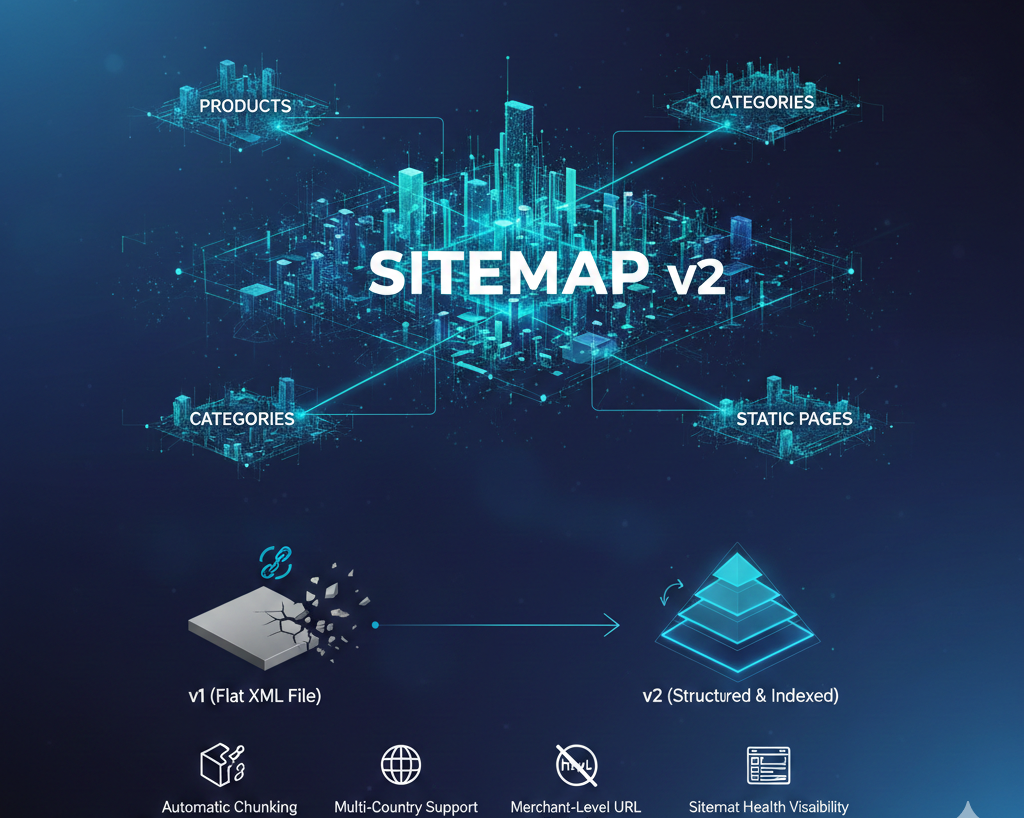
— Structured & Scalable SEO Architecture
We've introduced Sitemap v2, a new structured sitemap system designed to improve crawl efficiency, scalability, and analytical insights across all KartmaX stores.
Why This Update?
The earlier sitemap structure (v1) used a single flat XML file.
While functional, it was limited in structure and scalability. As catalogs grow and brands expand across countries, a segmented and indexed architecture becomes essential.
Sitemap v2 replaces the legacy flat structure with a structured, index-based system aligned with modern SEO standards.
What's New in Sitemap v2?
1. Sitemap Index Architecture
/sitemap.xml now acts as a sitemap index and links to dedicated child sitemaps:
- Products
- Categories
- Blogs
- Static Pages
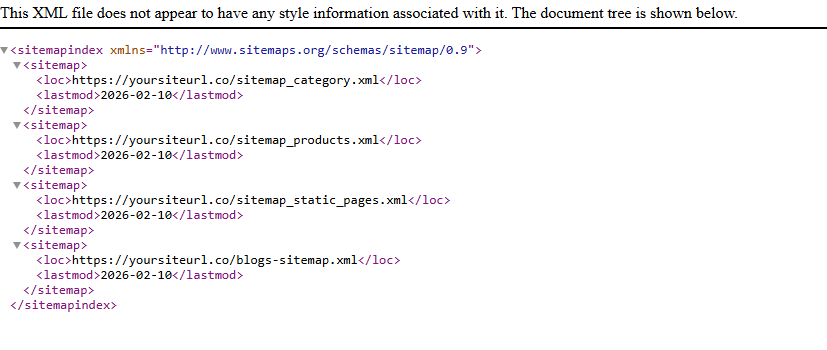
This creates better crawl segmentation and faster processing by search engines.
2. Automatic Chunking
If any sitemap exceeds 40,000 URLs, it automatically splits into multiple files:
sitemap_products_1.xmlsitemap_products_2.xml- and so on
No manual intervention required.
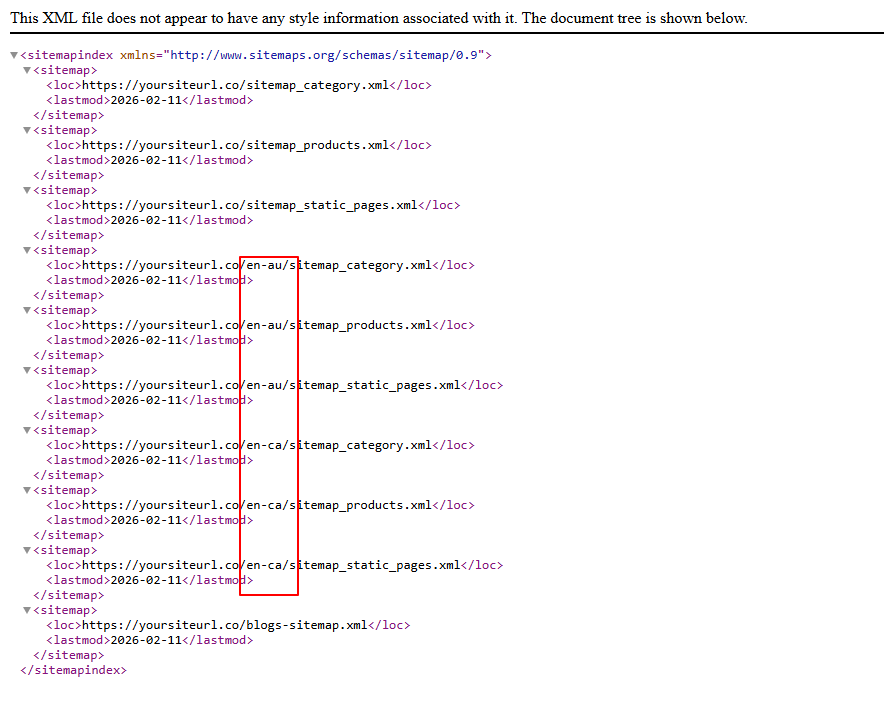
3. Multi-Country Support
For multi-country brands, locale-specific sitemaps are generated automatically.
Each country maintains its own structured sitemap hierarchy, ensuring cleaner international SEO handling.
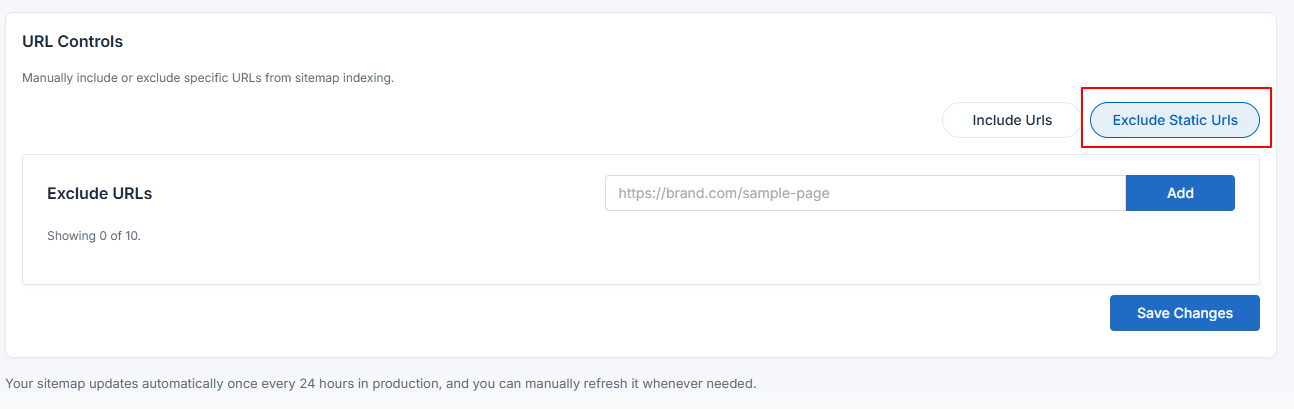
4. Merchant-Level URL Exclusions
Brands can now exclude specific:
- Products
- Categories
- Blogs
- Static Pages
This is useful for:
- Test URLs
- Campaign landing pages
- Policy pages
- Temporary or non-indexable content
Exclusions apply during the next sitemap rebuild cycle.
5. Sitemap Health Visibility
Admin now displays:
- Total synced URLs by type
- Last full sync timestamp
This helps validate sitemap completeness and freshness.

Recommendation
Sitemap v2 is the recommended architecture for all KartmaX brands.
It provides:
- Better crawl structure
- Automatic scalability
- Cleaner multi-country handling
- Improved indexing control
We recommend migrating to Sitemap v2 to ensure your store runs on the latest SEO infrastructure.
How to Enable Sitemap v2
Follow the steps below to migrate to the new structured sitemap system:
- Go to Sitemap Module inside Admin.
- Select Version >V2 from the version dropdown.
- Click Save.
- Click on Refresh Sitemap.
- After a few minutes, visit your
domain.com/sitemap.xmlURL to verify the updated structured sitemap index.
Need assistance enabling Sitemap v2? Your brand manager can help you migrate seamlessly.
Built for scale. Designed for visibility.
– Team KartmaX